


Let's be honest: Excel probably saved your business in its early days. The first sales file, the stock spreadsheet, the "clean" invoices made in Word on the side - that is how almost every Cameroonian SME started getting organised. And it was the right decision at the time.
The problem is not Excel. The problem is the moment your business grew while Excel stayed the same. That moment went unnoticed, because Excel never breaks down all at once: it degrades silently. A formula error here, a duplicate file there, stock figures that no longer match reality... until the day you realise you spend your evenings hunting for figures instead of running your business.
This article puts FCFA amounts on what "free" really costs you, identifies the 7 signs that prove you have outgrown Excel, tells you honestly when Excel is still the right tool - and gives you a concrete 5-step migration plan.
Why everyone starts on Excel (and why that's normal)
Excel ticks every box when you're starting out: it's already installed, everyone thinks they know how to use it, it's infinitely flexible, and it requires no commitment. For a new business with ten transactions a day, it's a perfectly rational tool.
Excel is an excellent analysis tool: simulating prices, building a forecast, analysing exported data. What it is not - and never claimed to be - is an operational management tool: a system where several people record sales, take items out of stock and collect money, at the same time, reliably and traceably.
The rest of this article comes down to that distinction.
Excel's 6 structural flaws for business management
1. No traceability: you'll never know who changed what
In an Excel file, anyone can change a price, delete a sales line or "adjust" stock - without leaving a trace. When internal control is one of the top concerns of Cameroonian business owners, that's a deal-breaker. Management software records every transaction with its author, date and time: the mere existence of this traceability changes behaviour.
2. Formula errors are invisible until disaster strikes
A cell accidentally overwritten, a formula that no longer covers new rows, a copy-paste that shifts a column: the error doesn't announce itself, it accumulates. International studies on spreadsheets estimate that a large majority of complex files contain at least one significant error. When that error affects your prices or your VAT, you pay for it in hard cash - sometimes during a tax audit.
3. Multi-user work is organised chaos
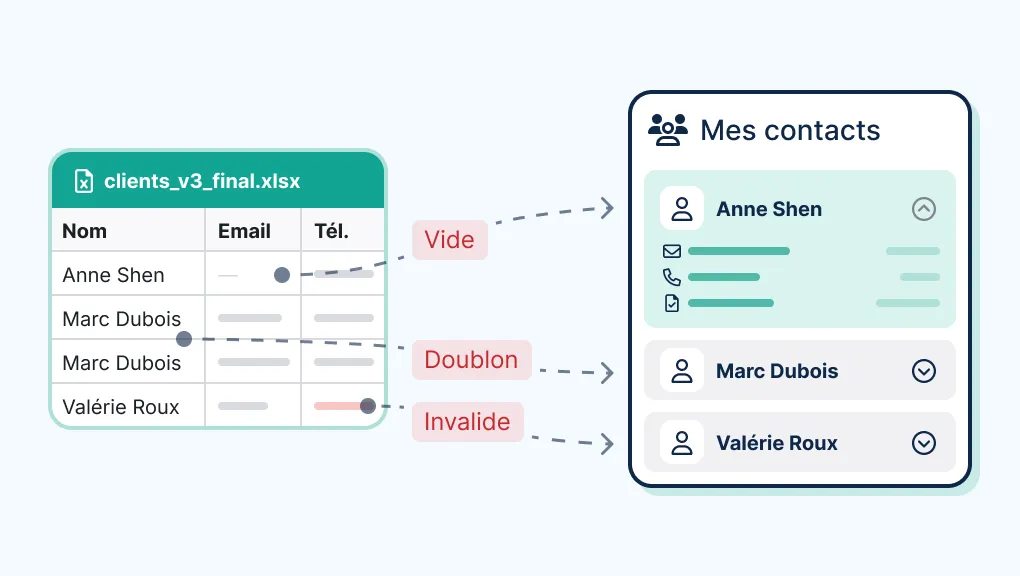
"Who has the file?" Final version, final version-2, the salesperson's version, the accountant's version... As soon as two people work on the same data, Excel multiplies diverging copies. Your stock shows 14 units in one file and 9 in another - which one do you believe? Management software has only one truth, shared in real time.
4. No link between your data
Your sales file doesn't talk to your stock file, which doesn't talk to your invoices, which don't talk to your customer receivables. Every sale has to be entered two, three, four times - and every re-entry is an opportunity for error. In integrated software, a sale automatically updates stock, the cash register, the customer account and revenue. One entry, four effects.
5. Security is non-existent
The file is on ONE computer. Theft, disk failure, a virus, or simply an employee leaving with the file: years of data can vanish in a second. And an Excel password can be bypassed in minutes with free tools. Automatic backups, user accounts and access rights: that's the bare minimum any serious management software offers.
6. No built-in tax compliance
Excel knows nothing about the NIU (tax ID), mandatory DGI invoice details or Cameroonian VAT. Every invoice is a manual creation where anything can be forgotten - and inconsistent numbering or missing details are exactly the kind of thing that draws attention during an audit. Compliant invoicing software generates all of this automatically, on every invoice.
The calculation nobody does: how much Excel costs you each month
Let's take a realistic shop in Douala: 3 employees, 60 sales a day, managed with Excel + Word invoices + a customer credit notebook. Let's estimate conservatively.
Data entry and reconciliation time. Entering the day's sales, checking stock, reconciling the cash register, redoing invoices: 2 hours a day is a low estimate. Over 26 days, that's 52 hours a month. Valued at the cost of an employee (say 100,000 FCFA/month including charges for ~190 hours), that's about 27,000 FCFA of monthly salary spent on avoidable re-entry.
Stock discrepancies. Between entry errors, unrecorded withdrawals and unexplained "losses", a business without proper tools commonly sees 1 to 3% shrinkage on its stock. On 3,000,000 FCFA of monthly purchases, even 1.5% represents 45,000 FCFA a month.
Forgotten receivables. A credit notebook without systematic reminders means customers who "forget" - and so do you. A single 30,000 FCFA receivable written off each month is enough for our calculation: 30,000 FCFA.
Pricing and invoicing errors. A miscalculated discount, an old price applied, approximate VAT: let's modestly count 15,000 FCFA a month.
Total: around 117,000 FCFA a month, or more than 1,400,000 FCFA a year - for a modest shop, with deliberately conservative assumptions. By comparison, a local SaaS costs 10,000 to 30,000 FCFA a month, and even a complete custom software pays for itself in one to two years at this rate. That's why "Excel is free" is the most expensive sentence in your income statement. (Redo this calculation with YOUR figures: purchase volume, data entry hours, customer credit - the result is rarely more flattering.)
7 signs you've outgrown Excel
- You have more than 3 files describing the same activity (sales, stock, invoices, credit...) and they never agree with each other.
- Two or more people need to enter data - and you're managing version conflicts.
- Your physical inventory never matches the file, and you've given up trying to understand why.
- You spend more than an hour a day entering, cross-checking or correcting data.
- You've already discovered a formula error that cost money (or worse: you've never checked).
- You can't answer in under a minute: "how much did I sell this month, at what margin, and who owes me how much?"
- Your business depends on a single file on a single computer - and seeing that sentence in black and white makes you uneasy.
Three or more signs: migrating isn't a "someday" project, it's a leak to plug this quarter.
To be fair: when Excel is still the right choice
The honesty of this diagnosis works both ways. Keep Excel if:
- You're just starting out: fewer than 20-30 transactions a day, a single person in charge - Excel's flexibility is then an asset, not a risk.
- You use it for one-off analysis: business plan, price simulation, product range study. That's what it's really built for, and it excels at it.
- You use it alongside software: exporting clean data from your management tool to Excel for custom analysis is an excellent habit. Excel as an output of the system: yes. Excel as the system: no.
The line is simple: as soon as Excel becomes the official record of your sales, stock or receivables, with several people working on it, you're on the wrong side.
What to replace it with: 3 ways out
Path 1: local SaaS - the quick exit
For most micro-businesses and shops, Cameroonian or regional online software (zBilling, CloudFacile, GestionsPro, Mobility Cloud...) replaces Excel files in a few days, from 10,000 FCFA excl. VAT/month. Compliant invoicing, up-to-date stock, tracked receivables, backed-up data: 90% of Excel's pain points disappear immediately. Our comparison of the 7 best sales management software in Cameroon will help you choose.
Path 2: custom software - the permanent exit
If your Excel files are numerous and convoluted, it's often a symptom of specific processes that no standard tool covers: credit sales with in-house payment schedules, multiple depots, field rounds, special commission rules. In that case, custom management software reproduces YOUR processes - offline mode and Mobile Money included - instead of imposing its own. The right way to decide: our custom vs standard decision grid.
Path 3: the gradual transition - SaaS first, custom later
If you're unsure: start with a SaaS for the most painful module (often invoicing + stock). After 12 months of use, you'll know exactly what's missing - and that real-world specification makes any future custom project twice as safe and better costed. For the budget of each option, see our guide to management software prices in Cameroon.
The 5-step migration plan (without disrupting your business)
- Clean up your data in Excel (1 week, alongside day-to-day operations). Remove duplicate items, standardise names, close out dead lines. It's the best investment of the whole project: software fed with dirty data just reproduces the chaos faster.
- Set a switchover date - ideally the start of a month, after a real physical stock count. The software's opening stock must be the counted stock, not Excel's theoretical stock.
- Import and check. Items, customers, credit balances, opening stock. Then test 20 real transactions in parallel (software + old system) for a few days to validate.
- Train by role and appoint a point person. Half a day per role (cashier, storekeeper, manager), simple guides, and ONE in-house person who masters the tool and centralises questions.
- Officially retire Excel. This is the step everyone misses: as long as the old file stays around "just in case", teams go back to it and you end up managing two wrong systems. After 2 weeks of validated switchover, the old file becomes read-only and archived. The software becomes the single source of truth.
FAQ
Can you import Excel files into management software? Yes, it's standard: items, customers and balances are imported using CSV/Excel templates. The real question is the quality of your data - hence the clean-up step. Always ask who does the import and at what cost.
My employees only know Excel - will they manage? Good management software is simpler than Excel for daily operations: recording a sale becomes 3 guided clicks instead of free entry in a spreadsheet. Resistance rarely comes from difficulty - more from the new traceability. That, in itself, is useful information.
Does Google Sheets solve Excel's problems? It solves multi-user access and backups (everything is online), but nothing else: no business traceability, no sales-stock-invoice link, no DGI compliance, and total dependence on the internet connection. It's a better spreadsheet, not management software.
How long does a complete migration take? For a small business with reasonably clean data: 2 to 4 weeks from clean-up to final switchover, training included. Data clean-up is almost always the longest part.
What if I want to keep Excel for my analysis? Great idea: any good software exports its data to Excel/CSV. You keep the spreadsheet's analytical power, fed with data you can finally trust. It's the best of both worlds.
Final word
Excel isn't your enemy: it's a brilliant tool used outside its scope. The day it became the official record of your sales, stock and receivables, it started costing you - in hours, stock discrepancies, forgotten receivables and tax risk - far more than any management software.
The good news: the way out is quick, well-mapped and pays for itself within a few months. Whether you move to a local SaaS or to a tool built around your processes, Alivaon can audit your current setup for free (yes, even your Excel files) and cost out the most suitable exit scenario - DGI-compliant invoicing, stock management and point of sale included.




Be the first to leave a comment.